Backstory
It was a day in the office, September 2019. Splunk’s Head of Design pulled me into a conference room. After assuring me that I wasn’t being fired (phew!), he prompted:
“How would you like to think of diversity and inclusion beyond race, gender, and sexual orientation?”
He was interested in creating the first web accessibility (a11y) designer position at Splunk, a company that creates Enterprise-grade tools to monitor, troubleshoot, and secure developer environments, and whose mission is “making machine data accessible, usable and valuable to everyone.” He also mentioned my commitment to diversity, equity, and inclusion as a designer and employee resource group lead gave him confidence in my abilities. I responded with “hell yes.”
Milestones
February 2020: Team begins, comprised of QA Engineer and Designer
August 2020: SVP-level presentation on a11y; subsequent gap analysis document makes it to Chief Product Officer’s desk for review
November 2020: First a11y design audit for Enterprise product, focusing on color contrast
Q1FY22: First a11y OKR reached in team’s history; since then, there has always been at least one OKR related to a11y
Spring 2021: First major visual redesign for Enterprise dashboards
July 2021: First a11y offsite with engineering and product management partners
September 2021: Launch of a11y toolkit
October 2021: Splunk UI launches at .conf21, Splunk’s annual user conference. For the first time, one of the developer principles is accessible.
December 2021: MVP launch of component-based a11y documentation for developers
January 2022: First a11y design audit of design system completed and results shared to influence roadmap
My Approach to A11y
I take a 3-prong approach to bring web accessibility into organizations:
Reactive: What is the customer/user experiencing? What’s the best change to make, and based on timelines from Product and Engineering, can we get it done in a timeframe suitable to the customer? Can we use this as an opportunity for user research to share with the larger company?
Proactive: If a11y advocates already exist in teams, proactive approaches are preferred as they save significant time, money, and resources downstream. I engage design, documentation, and engineering teams here as a training moment to understand how a11y can be embedded into their current processes.
Education: We can fix bugs all day, but there is no cultural shift in a company without a11y education. My unique approach of live and asynchronous training and documentation in a judgment-free zone allows for teams across the entire company to understand why accessibility is important to us, and how their discipline can contribute to change.
My approach also reflects my values as an a11y practitioner:
Disabled people first in language and in practice: Based on my conversations and engagements with the disabled community, I use identity-first language and consistently engage with disabled people using tools I help create. While technical skill and experience are helpful, they do not replace the lived experience of those I aim to serve.
Progress over perfection. From my background in product design, I know how to prioritize and fight for what should be in an MVP release or not and hold teams accountable to subsequent releases.
Reflect on the marathon, not the sprint. Feelings and methods towards a11y do not suddenly change over night. In the product development world where quantity and speed are the most awarded metrics, I remind folks that a11y, similar to security and compliance, is successful in incremental, consistent changes.
Match passion with compassion: Sometimes my passion for a11y can convolute intent and impact. In remembering that everyone is at a different point in their a11y journey, I approach teams with compassion; more often than not, this is the decisive attribute that changes them into advocates for accessibility.
Remediation Wins
In working with customers and cross-functional alike, I’ve implemented many changes to the Splunk product portfolio, including:
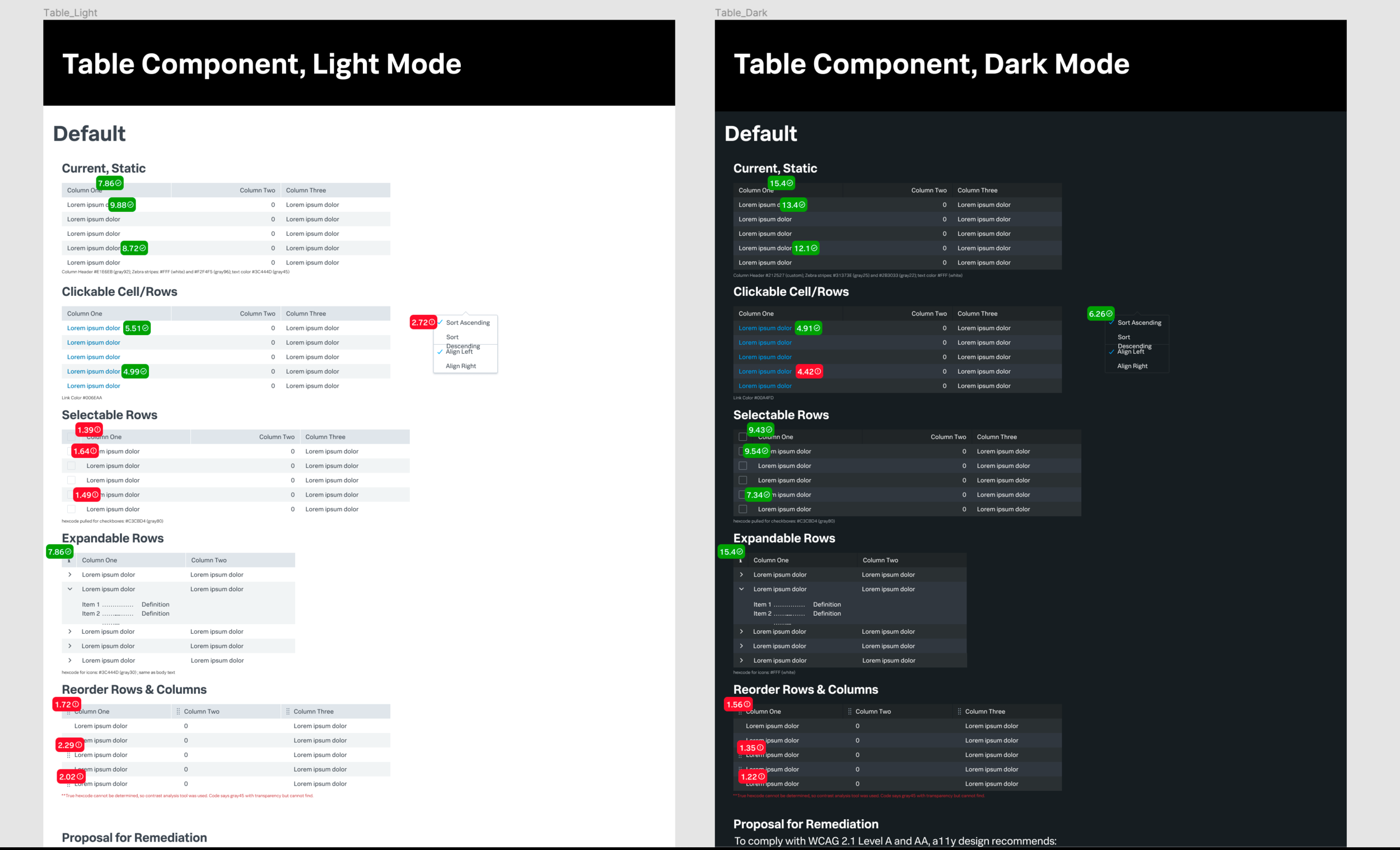
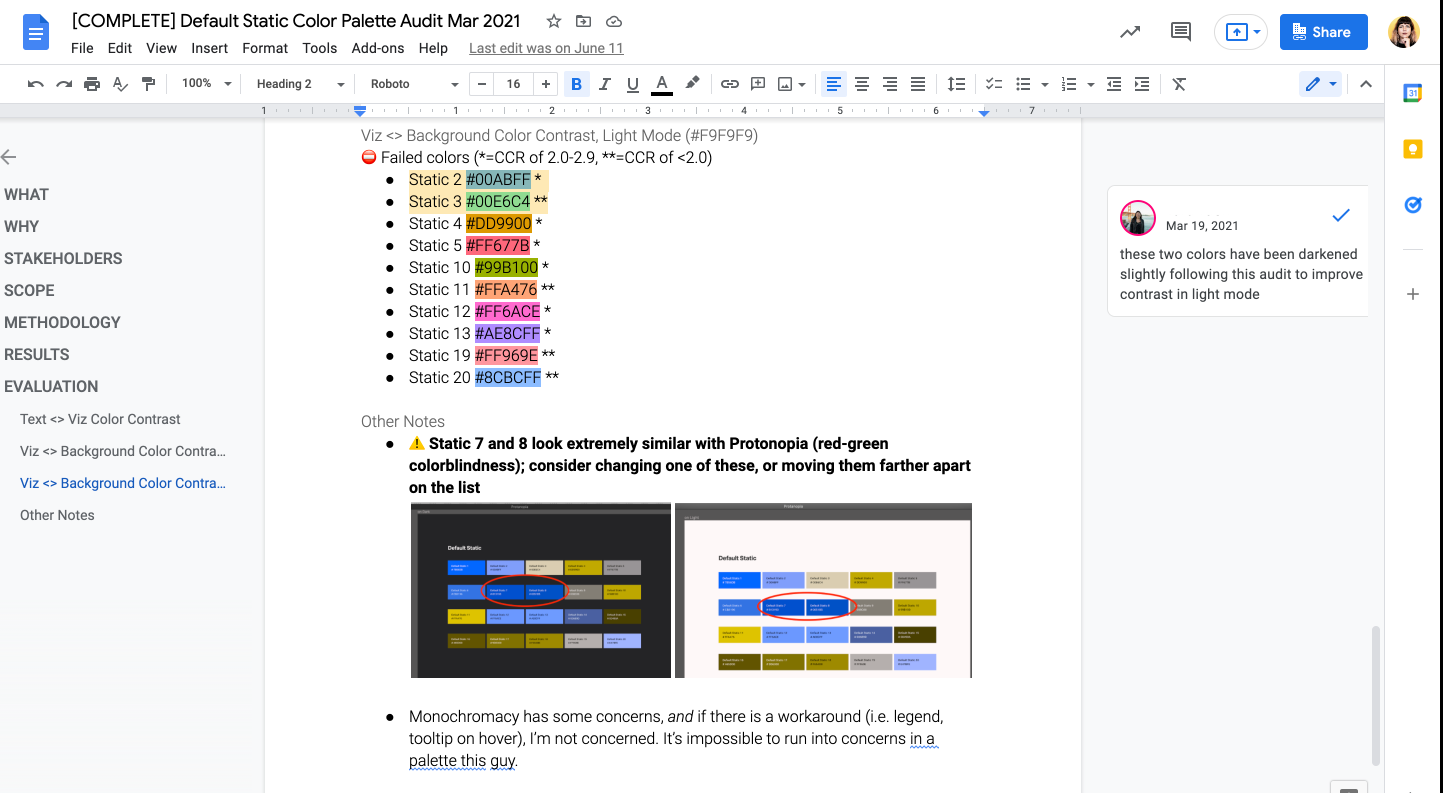
Color Contrast Audit for Enterprise (3 months): I approached the Enterprise product management team with color contrast concerns in November 2020 knowing that customers with highest ARR and investment in a11y due to Section 508 and Accessibility for Ontarians with Disabilities Act (AODA) would be easily able to find issues using an automated scan. Working with two engineering teams in Enterprise Core and Splunk UI, we were able to make WCAG 2.1 Level A and AA color contrast compliant designs to key components in Splunk Enterprise such as Search Table, Time Picker, and JSON Code.
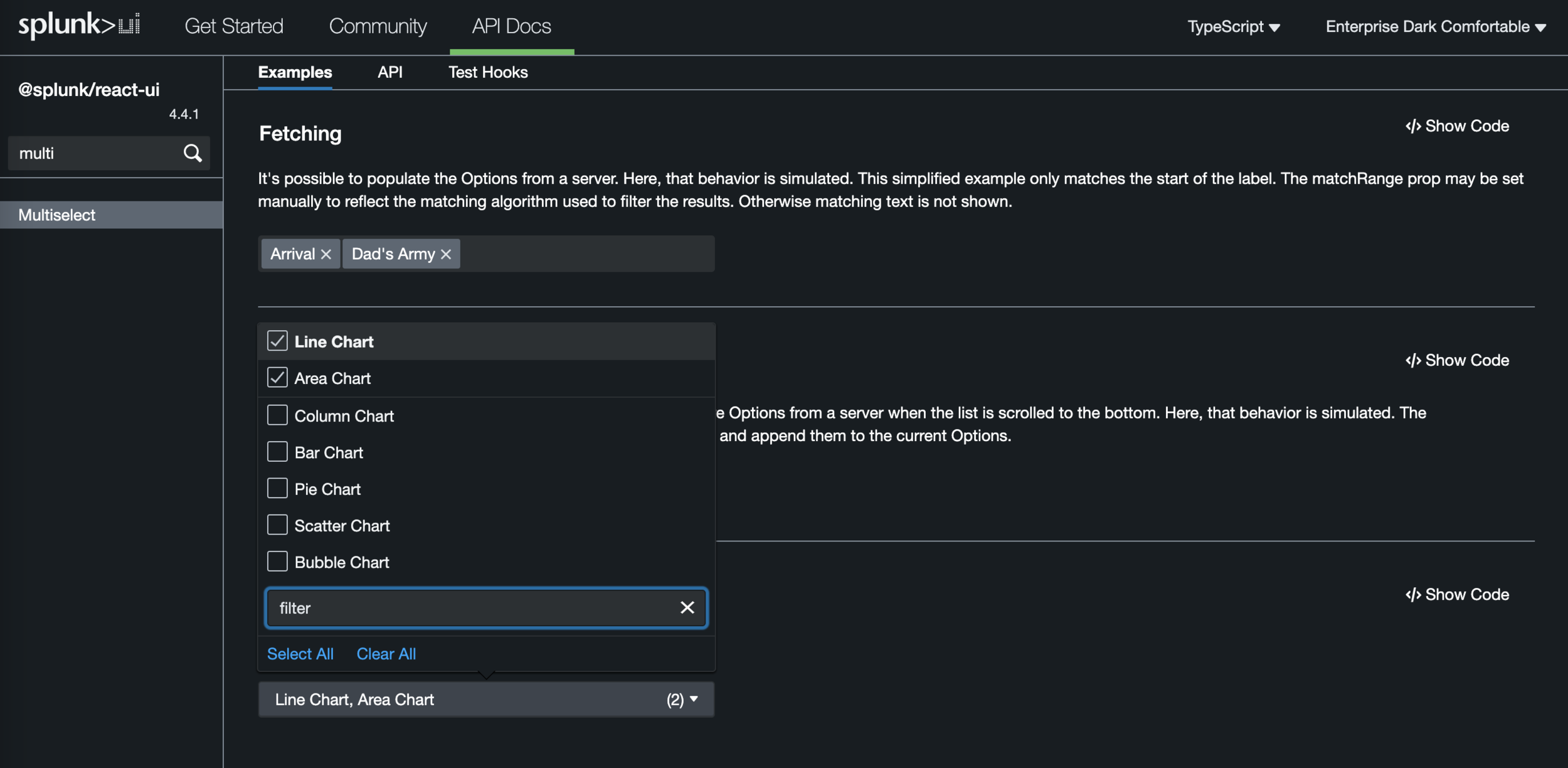
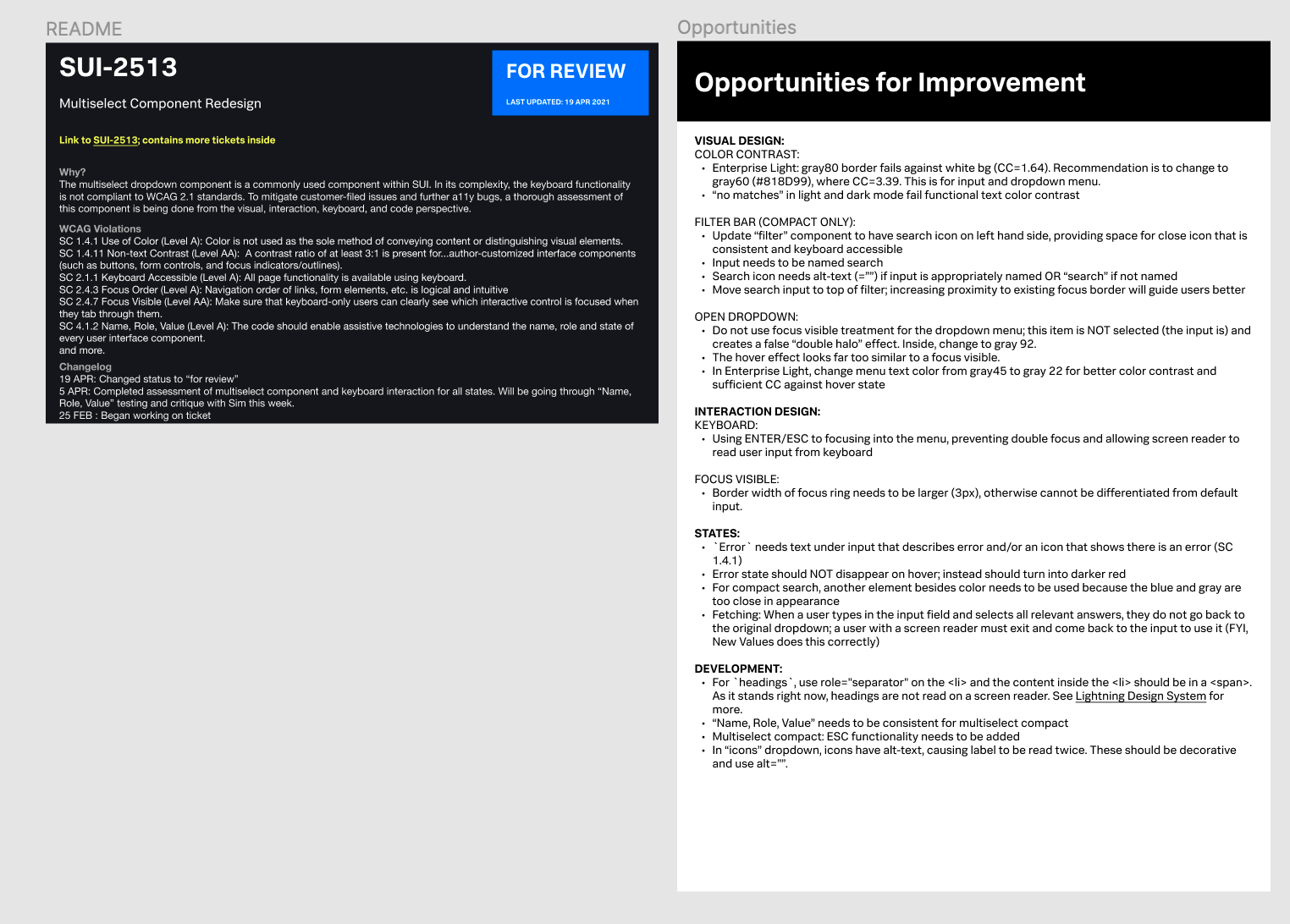
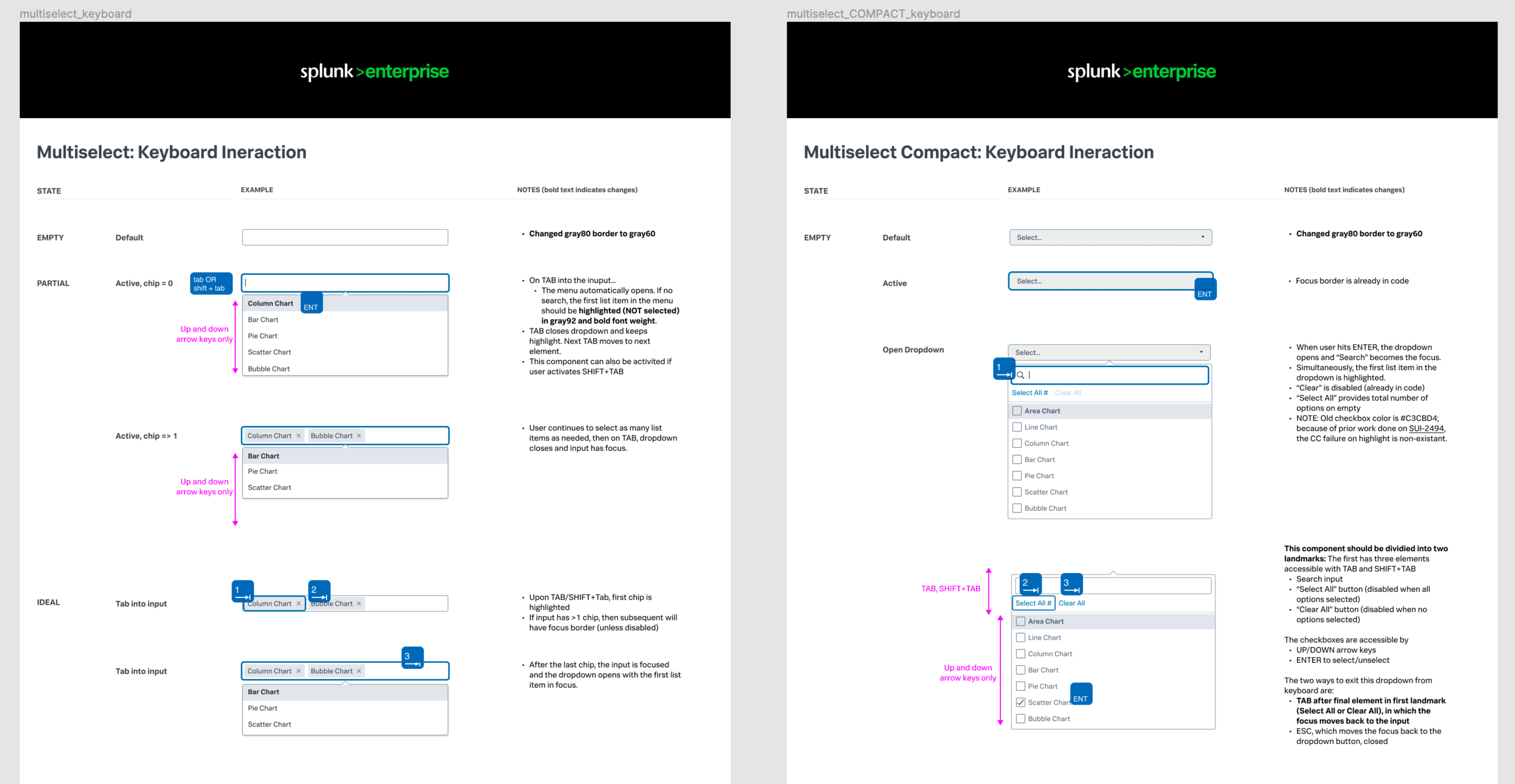
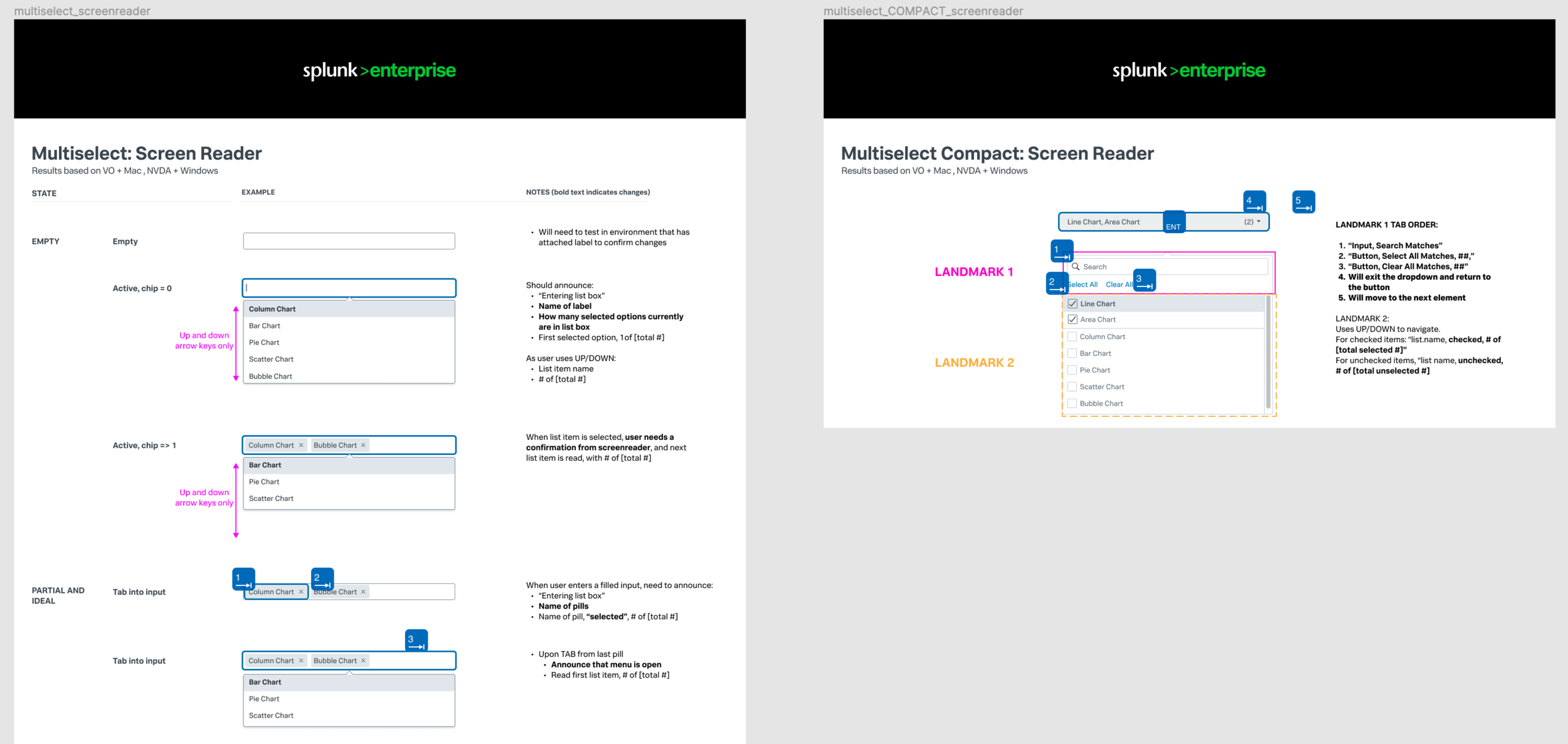
Multiselect Component Keyboard and Screen Reader (4 months): Working with a Senior UI Engineer, we redesigned and rearchitected a dropdown menu that was keyboard inaccessible. This was my first time deep diving into keyboard navigation and screen reader announcements. In addition, I suggested implementing ARIA landmarks to ensure users who didn’t want to use search did not have to tab 3-5 times to get to what they wanted.
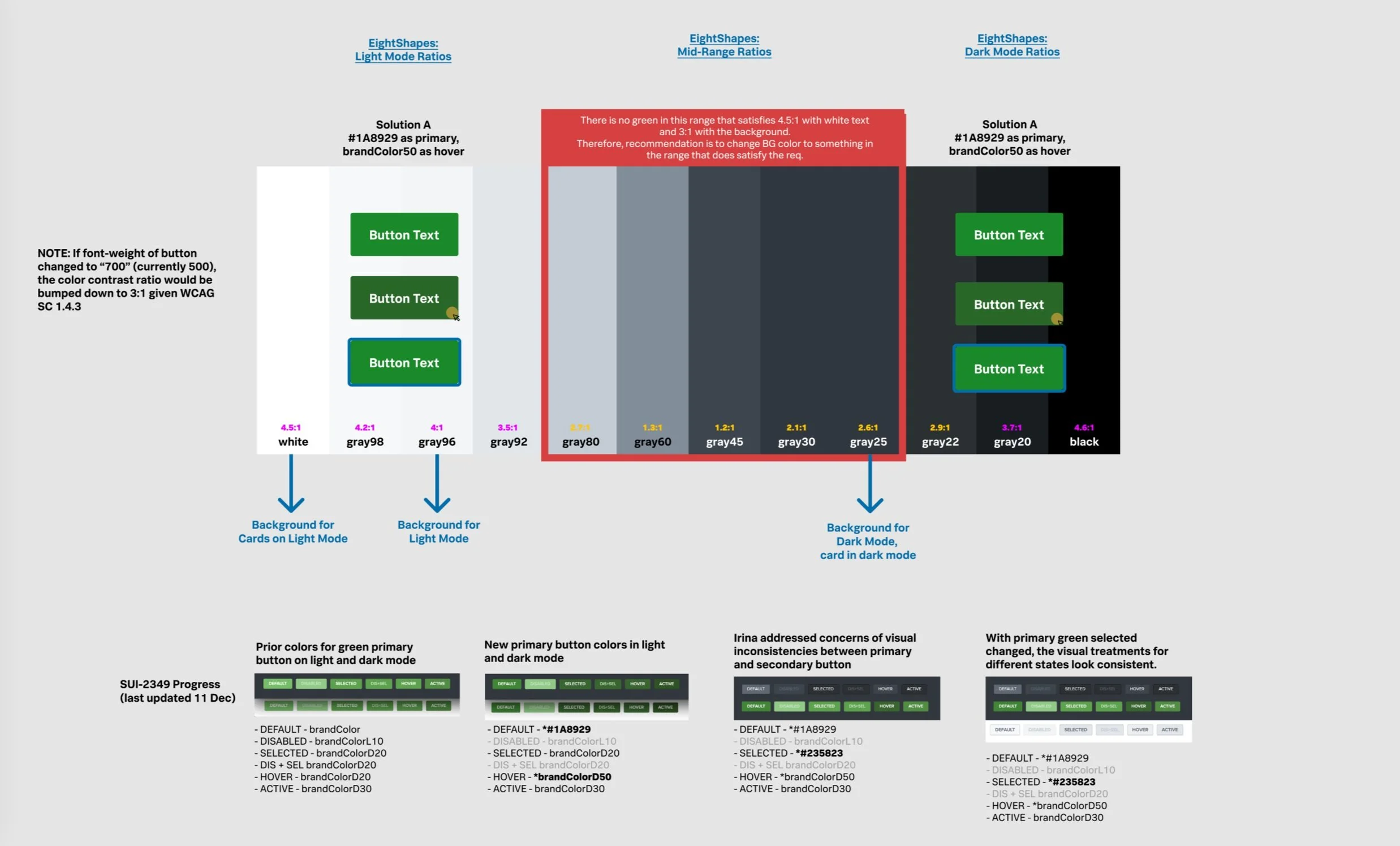
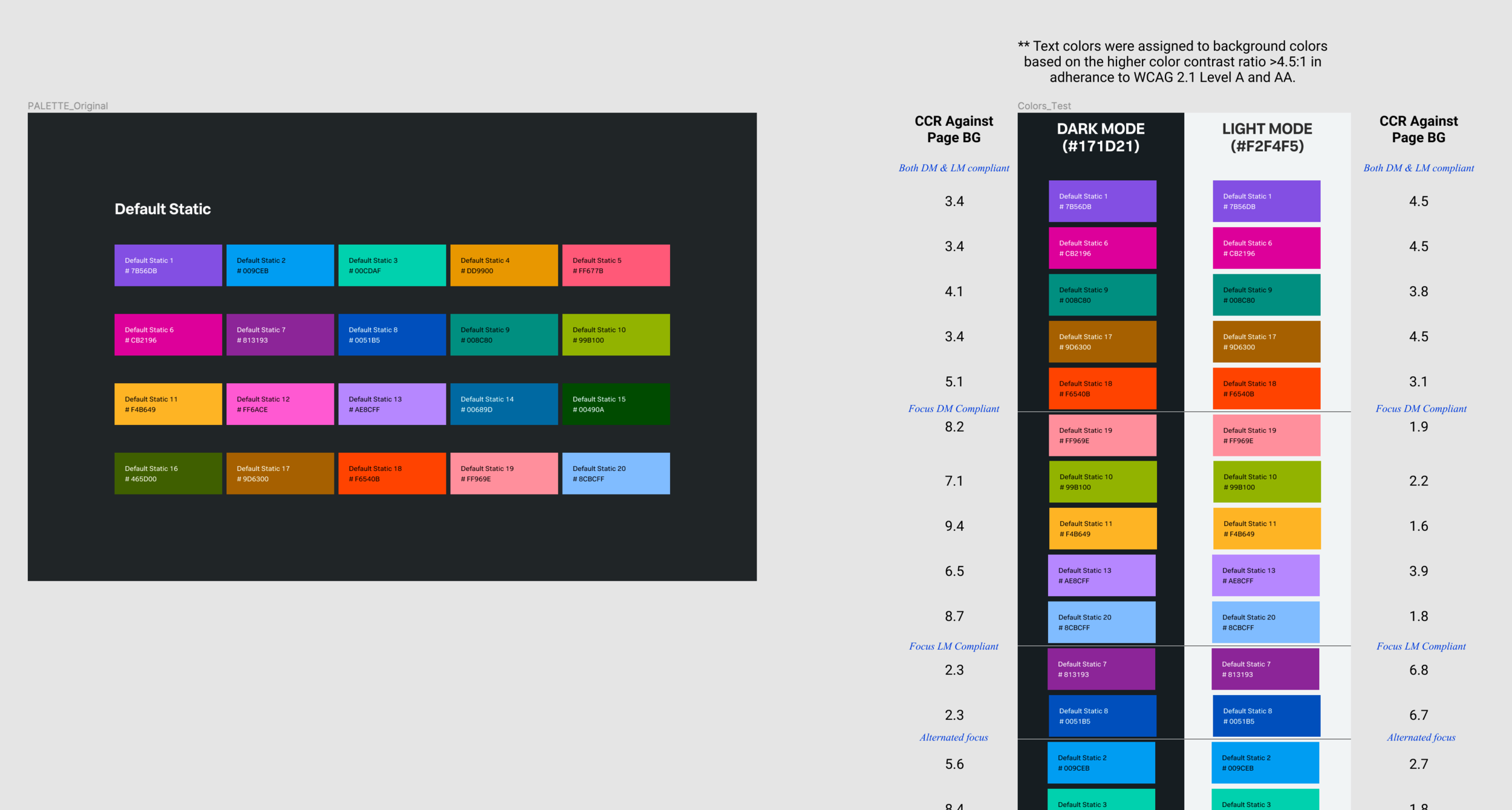
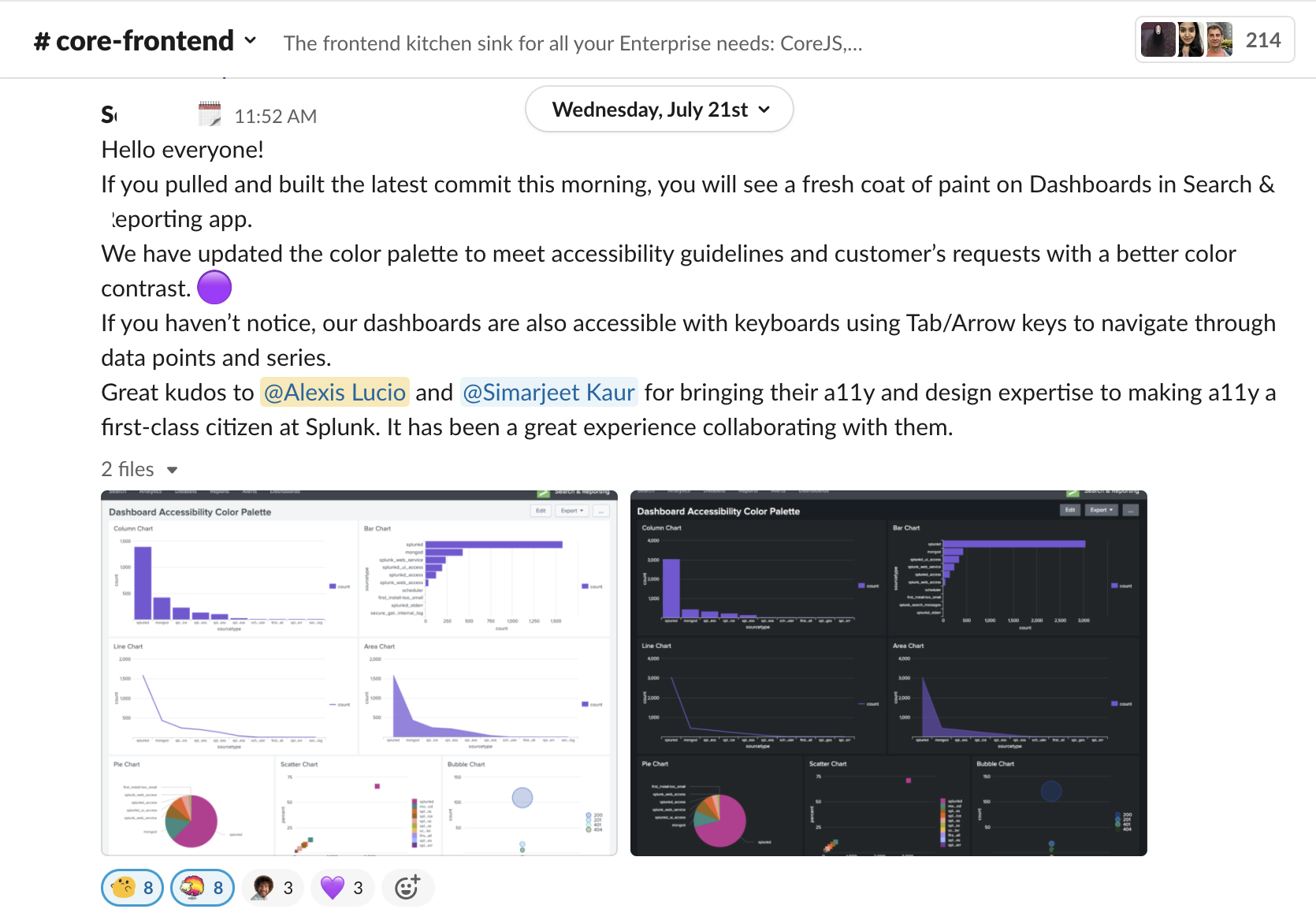
Data Visualization Color Redesign (3 months): A customer in the financial sector noted a myriad of accessibility concerns with Splunk’s Dashboard and Reporting App, which supports many products in our product portfolio. I was the design lead who with engineers and customers, negotiated an MVP that satisfied all parties. I leveraged our Data Visualization Design Team to not only implement a palette that satisfied customer needs, but also created greater visual consistency across products.
A11y Design Toolkit
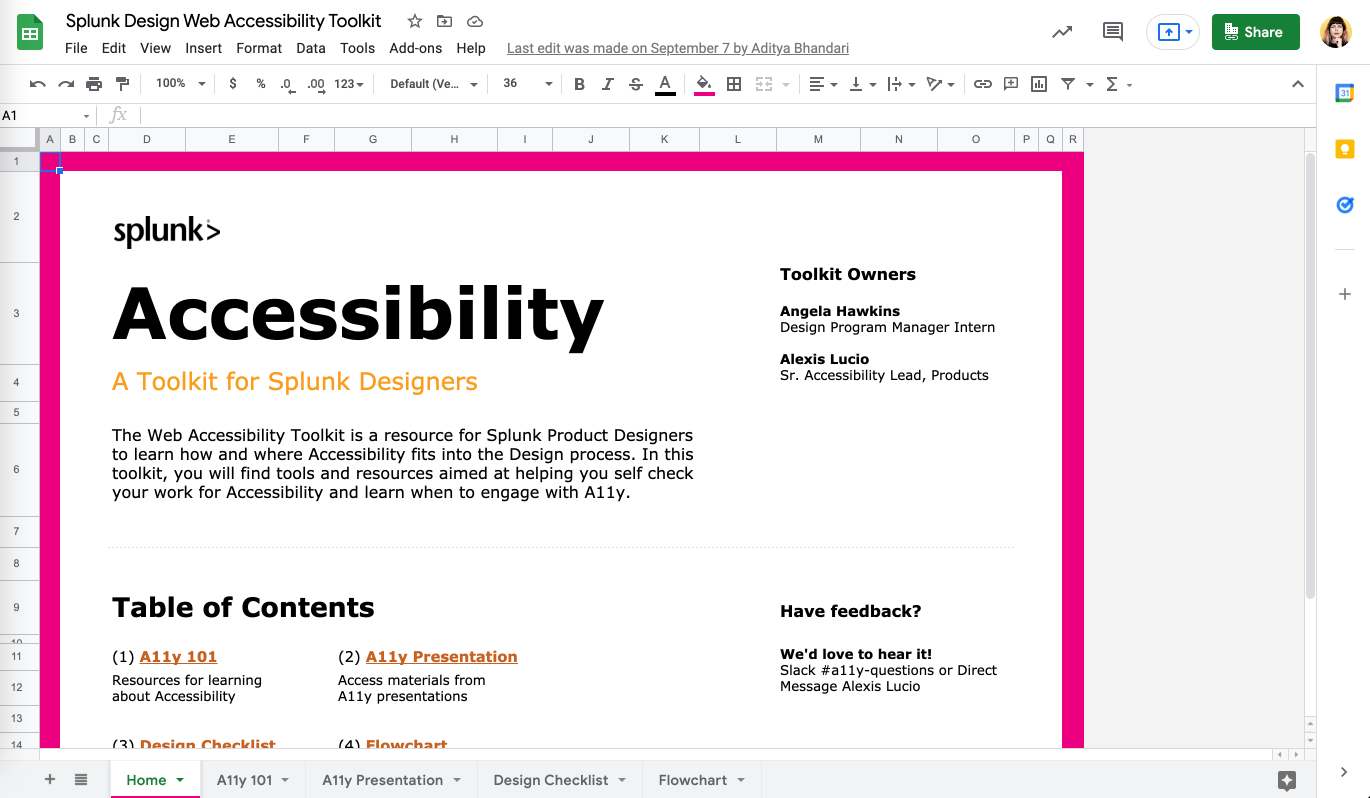
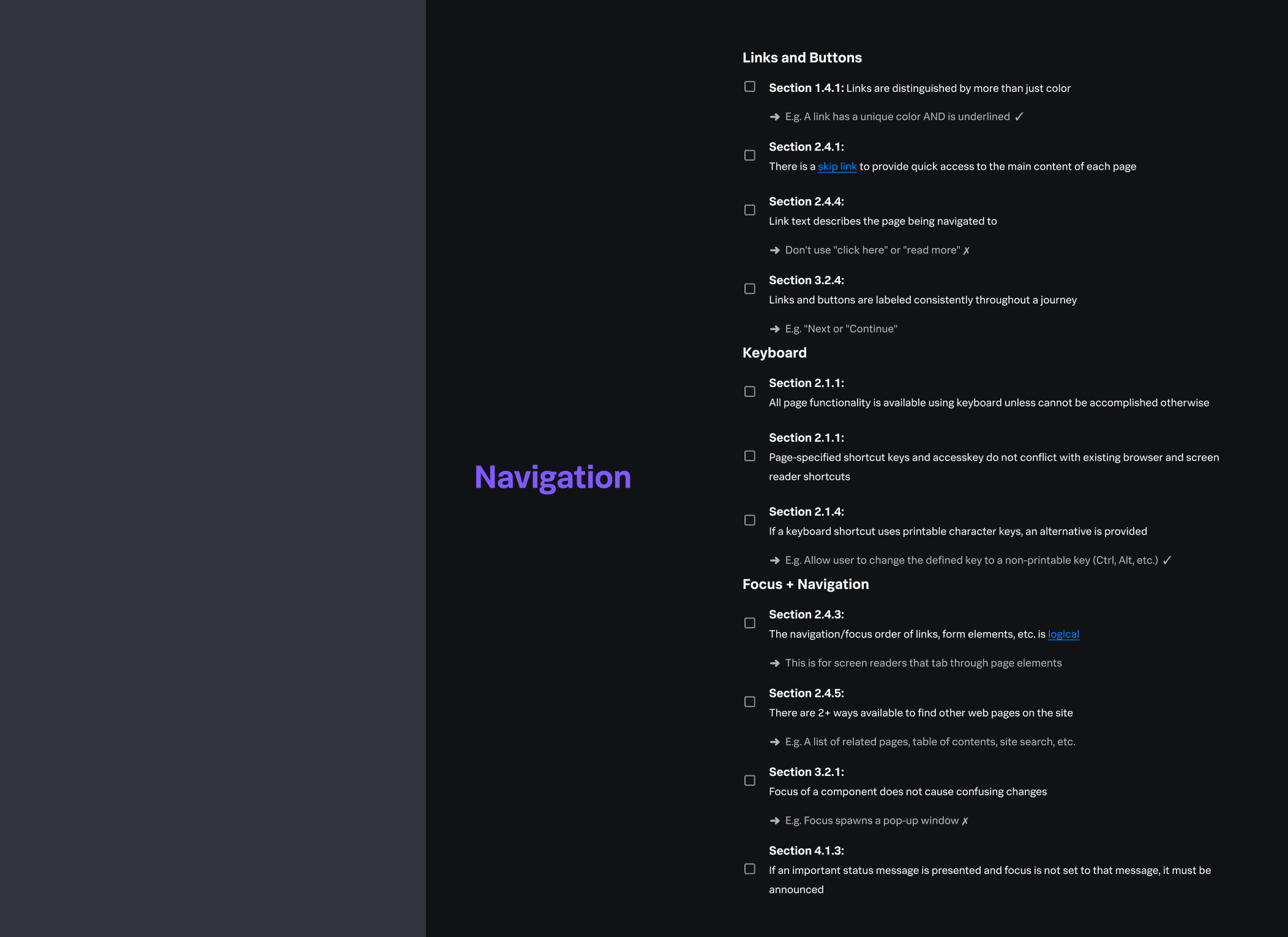
Coming from a product design background, I dreamed of providing Splunk’s design team a scalable tool that can empower designers to self-check wireframes prior to an a11y audit, or engineering teams without design resources to build accessible features. I was able to in Summer 2021, when half a Design Program Management Intern’s workload was dedicated to accessibility design efforts.
I onboarded the intern to the world of a11y, and together, focused on two deliverables: an a11y design toolkit for designers to easily reference and product and role-specific a11y training (covered in Education section). I coached the intern as she created a Google Sheets document. To our surprise in user research, we learned the Design Systems team could easily import the project into Figma, increasing visibility and ease of access.
I am now in stage of evangelizing the system and working with design leadership to hold designers accountable for self-checking.
Shift Left Using Splunk Design System
While a11y wins can come from working with cross-functional partners and stakeholders, there is significant potential for a11y improvement in a product’s design system. In Spring 2021, I began significant work with a new design systems design team and UI engineering team to “clean up our own house,” as I like to say.
Since a closer integration to the team, I’ve initiated the following projects:
Moving from RGBA to HEX: Utilizing a case study from a high-ARR customer, I educated teams on how RGBA in functional colors poses a vulnerability to our product and, after 9 months of discussions, it was changed. Currently, I am partnering with another designer on our upgrade to a RGBY based palette.
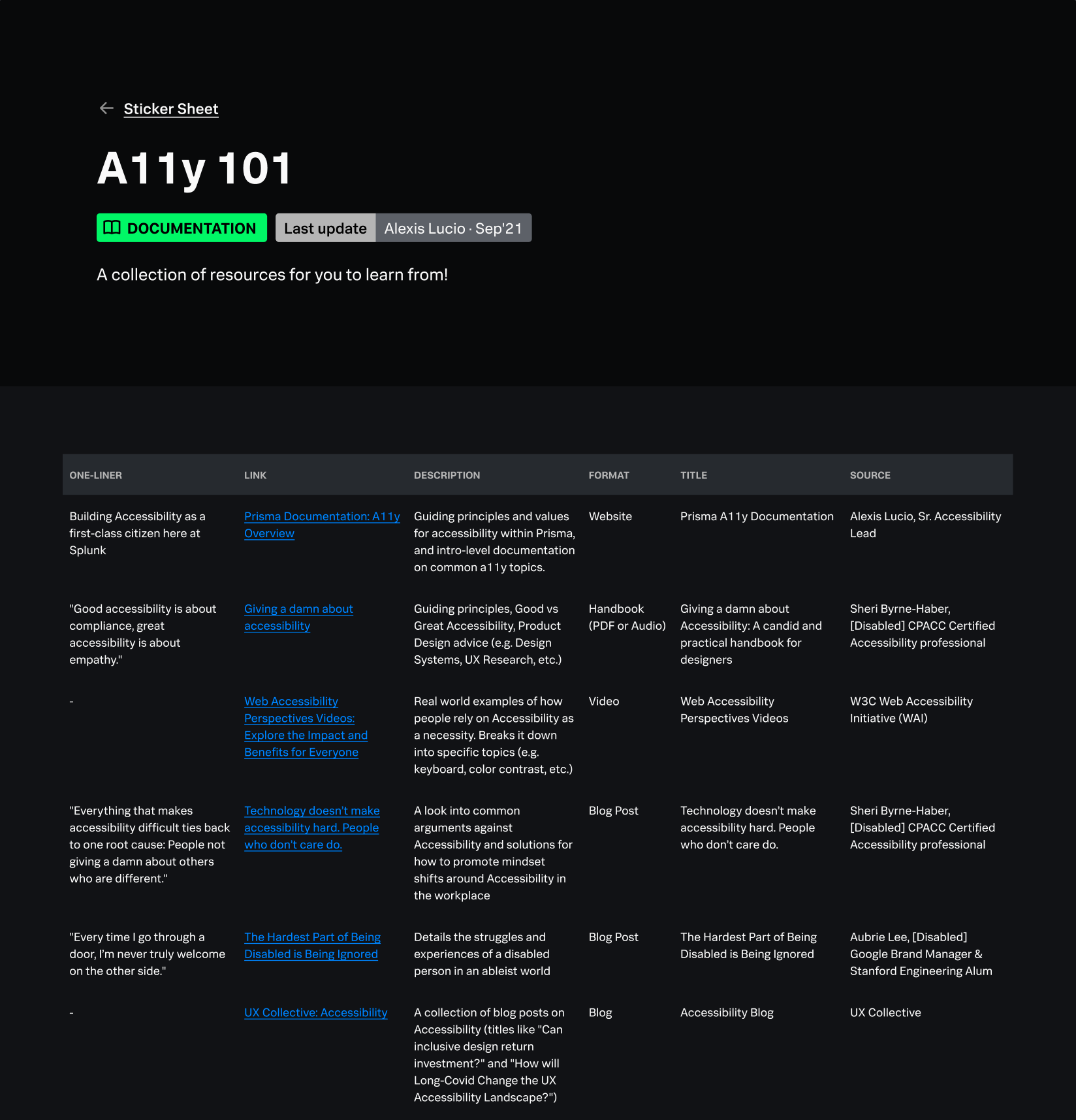
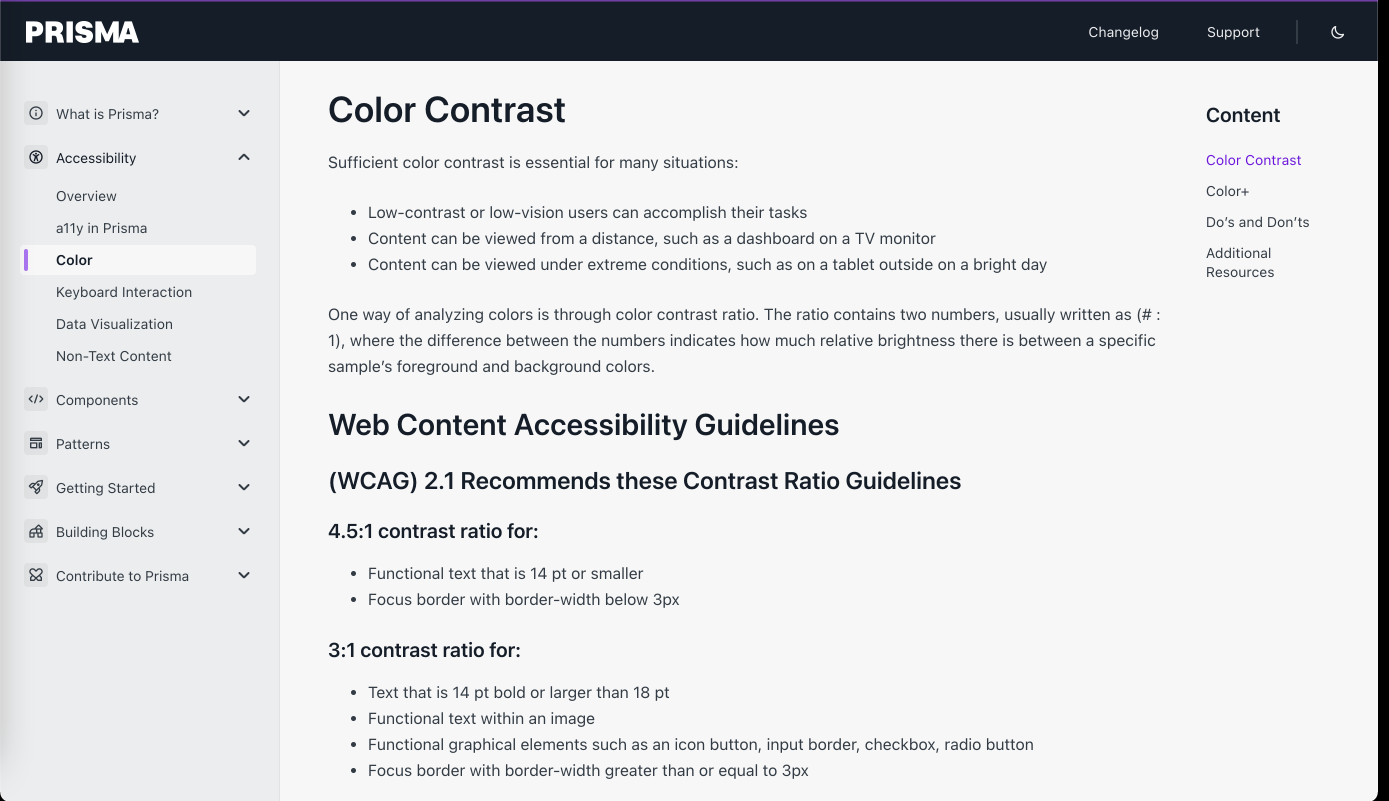
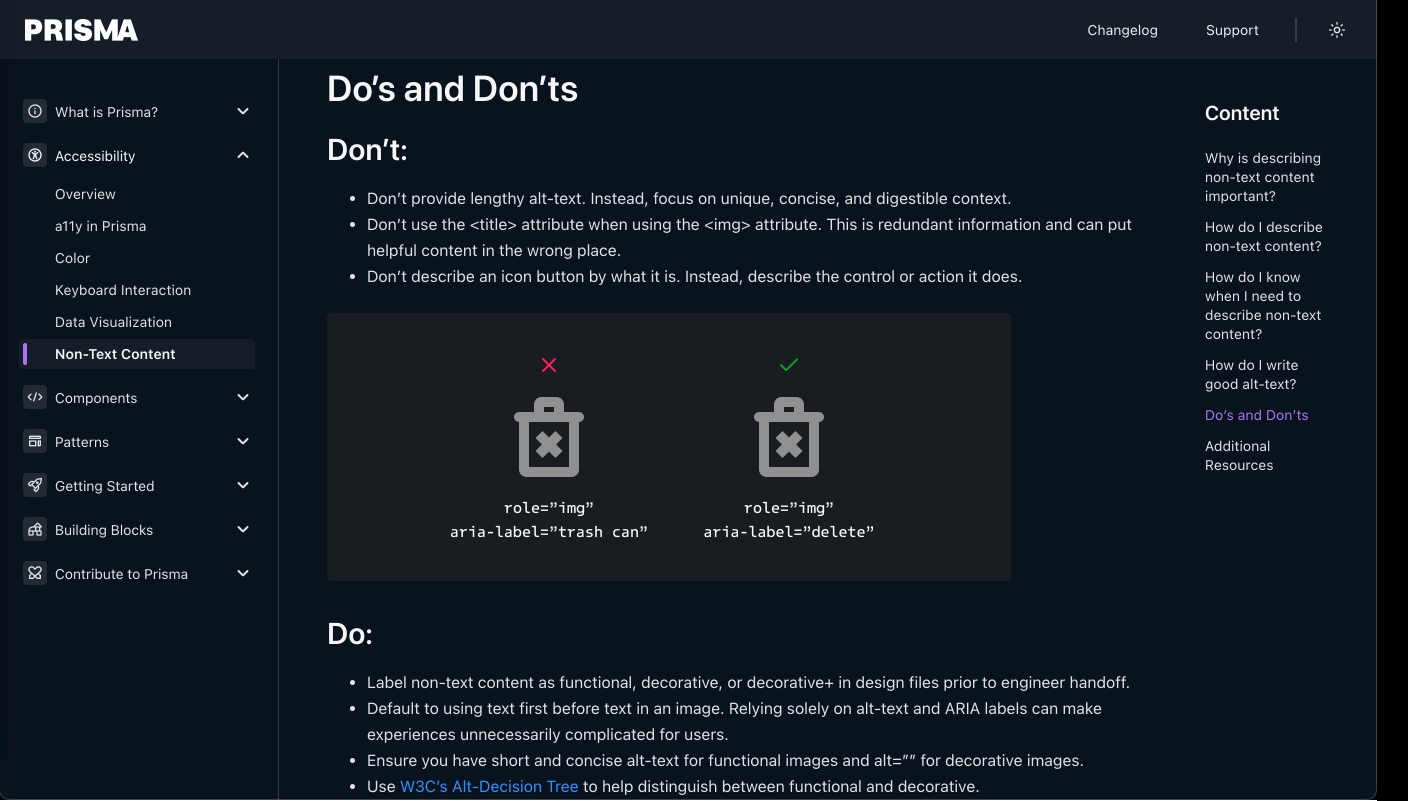
Simplified a11y Documentation: Let’s face it, WCAG is a dense read. I produced documentation for designers to read that combines WCAG Success Criteria and reframes them in human language. In addition, I include examples of what to do and not do.
Component based a11y documentation: Following the success of a11y documentation, I thought, “If we have something helpful for designers, how can we do the same for engineering teams, especially those responsible for building components from scratch?” I created a team comprised of one a11y QA and two front-end engineers to create checklists for the most accessible version of components.
A11y Design Audit: We don’t know what we don’t know. In Q3FY22, I began an a11y design audit of Splunk’s component library and Figma file to check for a11y best practices, nomenclature, and consistency between files. While over 50 issues were discovered, the insight, themes, and recommendations are invaluable to the team as we reimagine what our design system can become.
Education and Advocacy
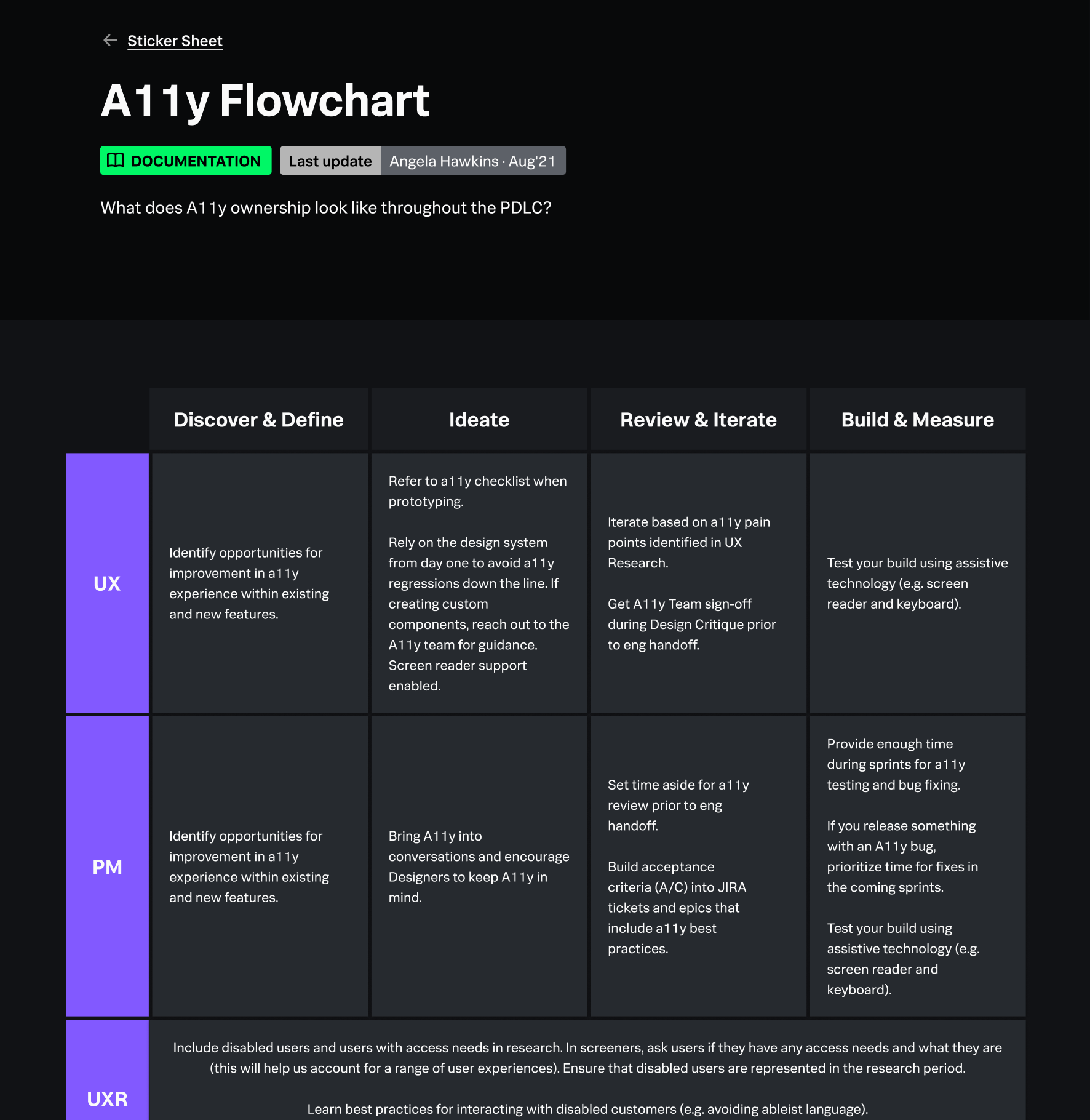
Integral to a11y’s success at Splunk is educating. In my time at Splunk, I have provided live training for individual contributors and managers up to SVP-level leadership, and departments spanning product development to public sector sales. I pride myself in understanding my audience and bringing in the appropriate supporting material to demonstrate a11y’s importance, be it customer quotes, range of ARRs that a11y-centric customers bring in, stats on tech debt, what our competitors are doing, awareness on a11y regulation, and more.
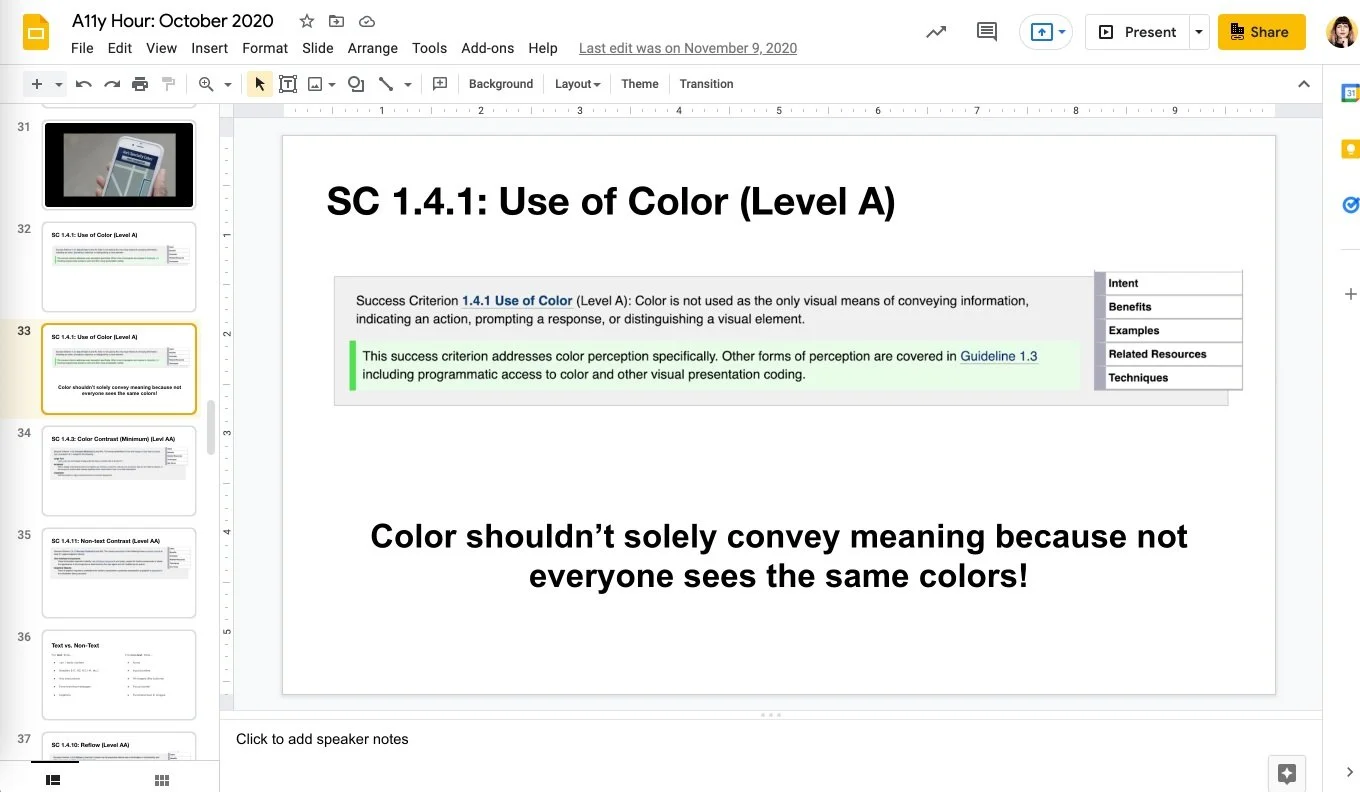
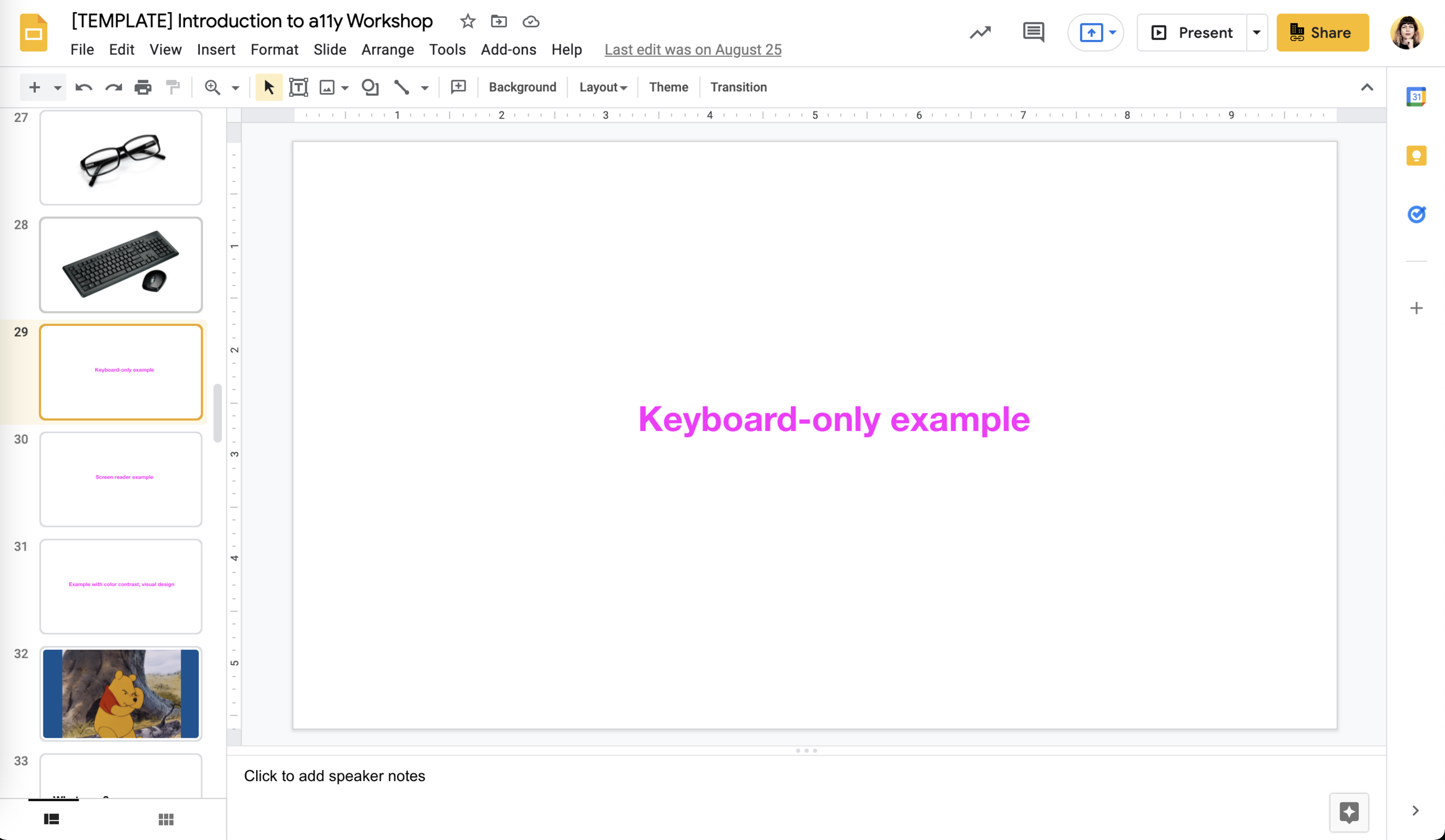
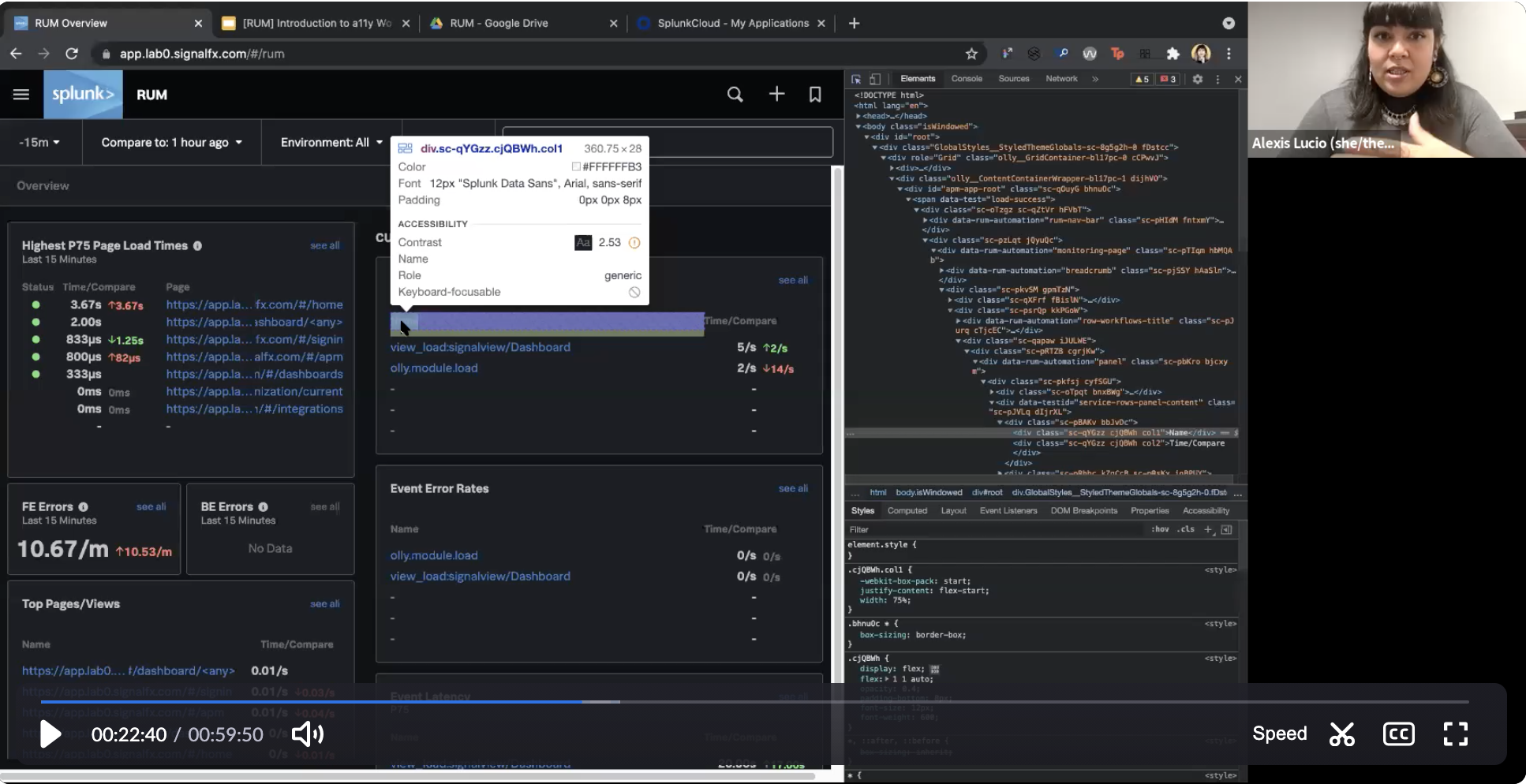
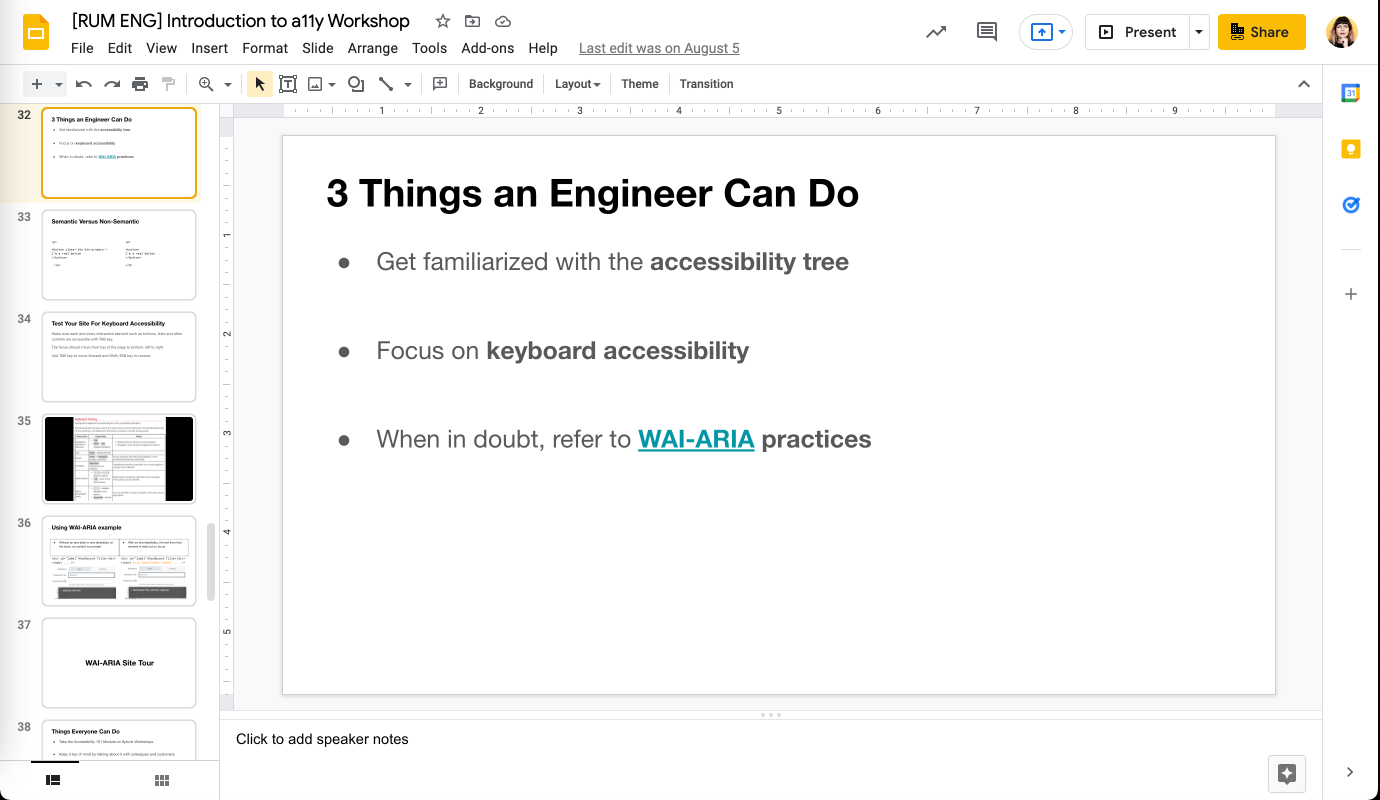
My current live training was solidified in Summer 2021 as part of an intern project. Our hypothesis was that teams would show greater investment in a11y if a) we provided them feedback on the products they themselves built and b) we gave them actionable practices they could implement right away based on their role (design, user research, engineering, product management, etc.). We piloting this new training with a portion of teams from Splunk’s observability suite and the results were incredible: teams on average reported a 40% increase in web accessibility knowledge, and the number one piece of feedback is that 60 and 45 minutes were not enough time and our original hunch of a 90 minute workshop was, even in a time of pandemic Zoom fatigue, preferred to go through the material and spend more time in the product exploration through an a11y lens.
The project was set aside in H2 2021. I’m happy to report that managers have requested the training be brought back in 2022 and an OKR of every designer takes a live workshop by the end of FY23.
Contributing to the A11y Community
Reflecting the transparency that the a11y community has towards tactics, process, and experience, I commit to speaking at minimum yearly about my experience in hopes to inspire and encourage the next generation of accessibility designers. My talks include:
From Compliance to Delight: Using Scenarios for Design Systems: CSUN 36th Annual Assistive Technologies Conference (2021)
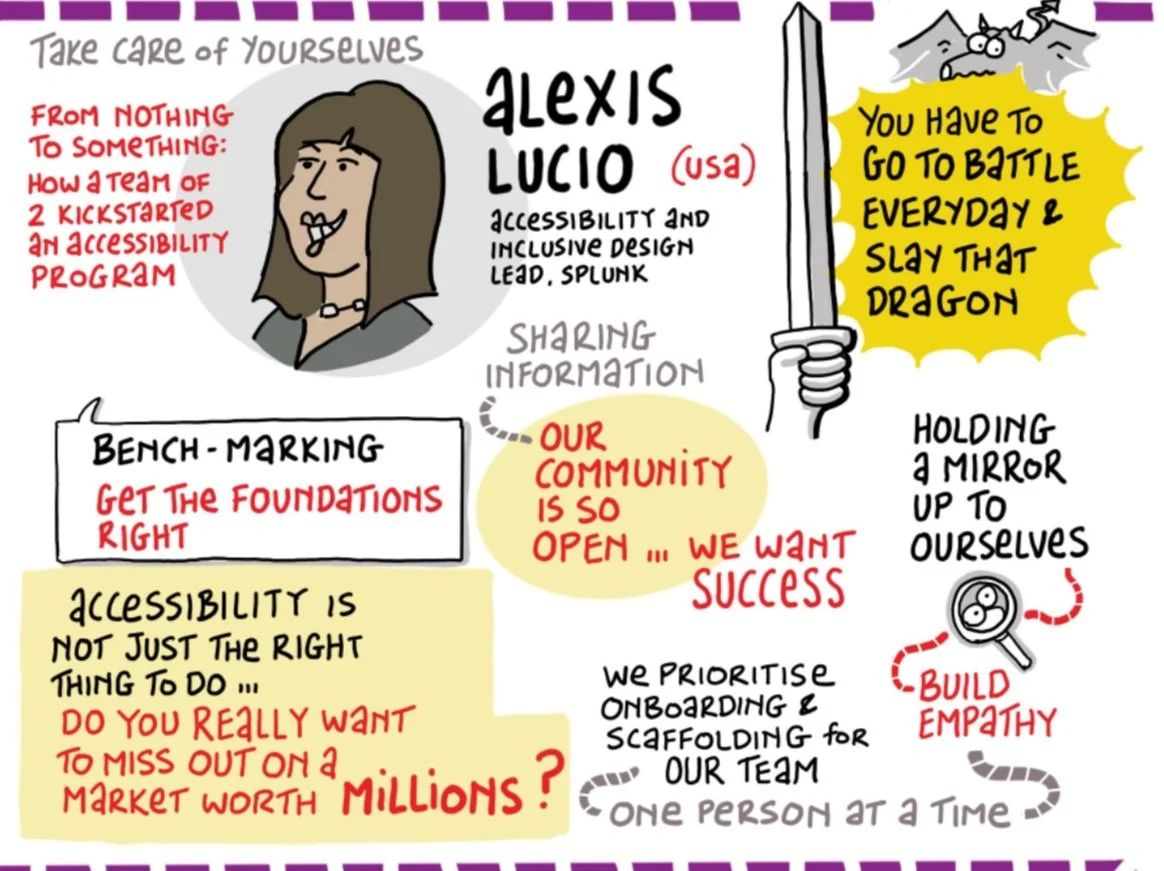
From Something to Nothing: How a Team of Two Kickstarted an A11y Program: A11y Base Camp 2020, axe-con 2021
How to Create Buy-in to Win the Resources for Digital Accessibility (a11y): Lesbians Who Tech (LWT) Debug Summit 2020
“Moving Beyond “Colors and Fonts” in Accessibility Design: Bay Area A11y Meetup, GAAD 2020 Celebration